
Problem Statement
In a recent project that I was working on had a power bi module. All I was given was access to a published report and I was tasked with making some changes. The way that I identified a problem with the way I worked on the report is when I lost a day’s worth of changes when I opened the laptop next day. I lost all my changes when I gave no to a restore file popup. The problem with not having a version control
- Loss of work from device failure, accidental file deletion, or even if we have to go down a trial and error route.
- Not being able to a previous (all good) version.
- Not able to see what changed between versions.
Potential Solutions
Stick the .pbix file in a version control like one drive/ share point
The most common file format that we work with in Power Bi reports are the pbix file. This is a binary file and is not human readable if you open it with a common text editor. You can stick this into apps like onedrive or google drive or use sharepoint. You can then revert to previous versions, keep the most updated version in a multi device accessible place that can be accessed by many people.
Stick the .pbix file in github or azure devops
Another place to do the similar thing is github or azure devops. The advantage of this over the previous approach is that you can add commit notes which will help you understand why you updated to newer versions, what changes you might have included (via commit messages)
Disadvantages with these solutions
Being a binary file there is no separation, the report and the semantic data model is mashed up into one file and even if you get 2 file versions you cannot easily find out what changed between these.
A better solution ” Power BI Project (PBIP)”
When we save our work as a power bi project instead of a pbix file, the report and the semantic model item definitions are stored as plain text files that are human readable.
This resolves the above mentioned problems, by saving the report as simple text files we unlock following features
- Adding it to version control system like Github or azure devops makes it easier to track changes and compare changes between different versions. Since the files are simple text files, developers can read and understand what changed between 2 versions by looking at the diff.
- Collaboration is also possible now as we can merge changes from different developers.
- You can also integrate it into a CI/CD pipelines.
- You can create your own applications or scripts that programatically generate these files and automate a bunch of stuff.
This feature is currently under preview and you have to enable it from preview features. You also need to have Premium licence to do this.
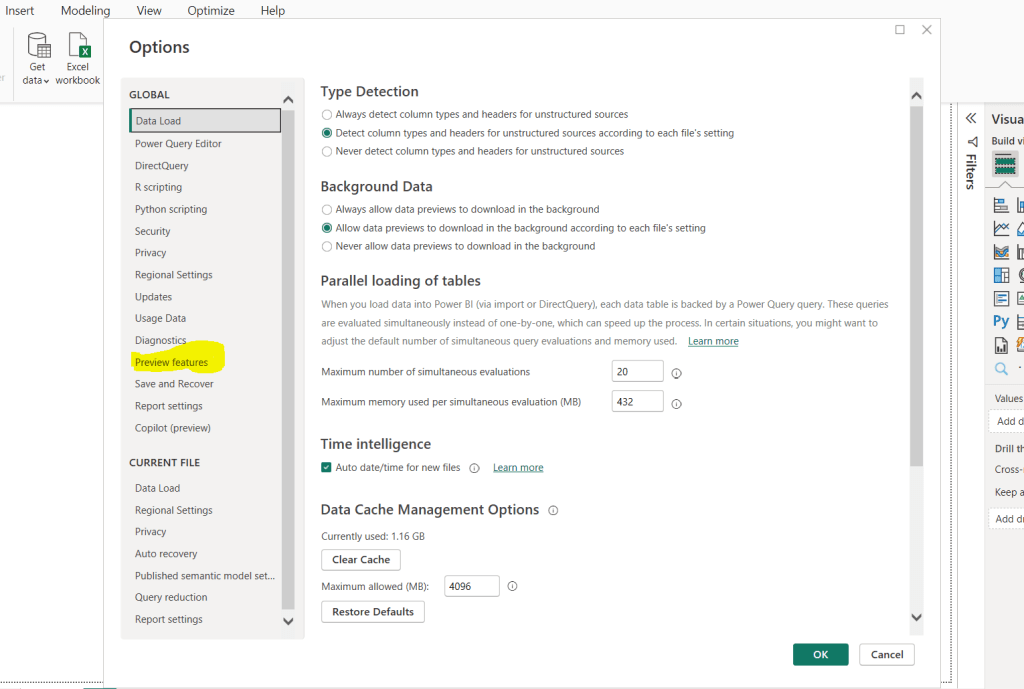
In the preview features you can see Power BI Project(.pbip) save option
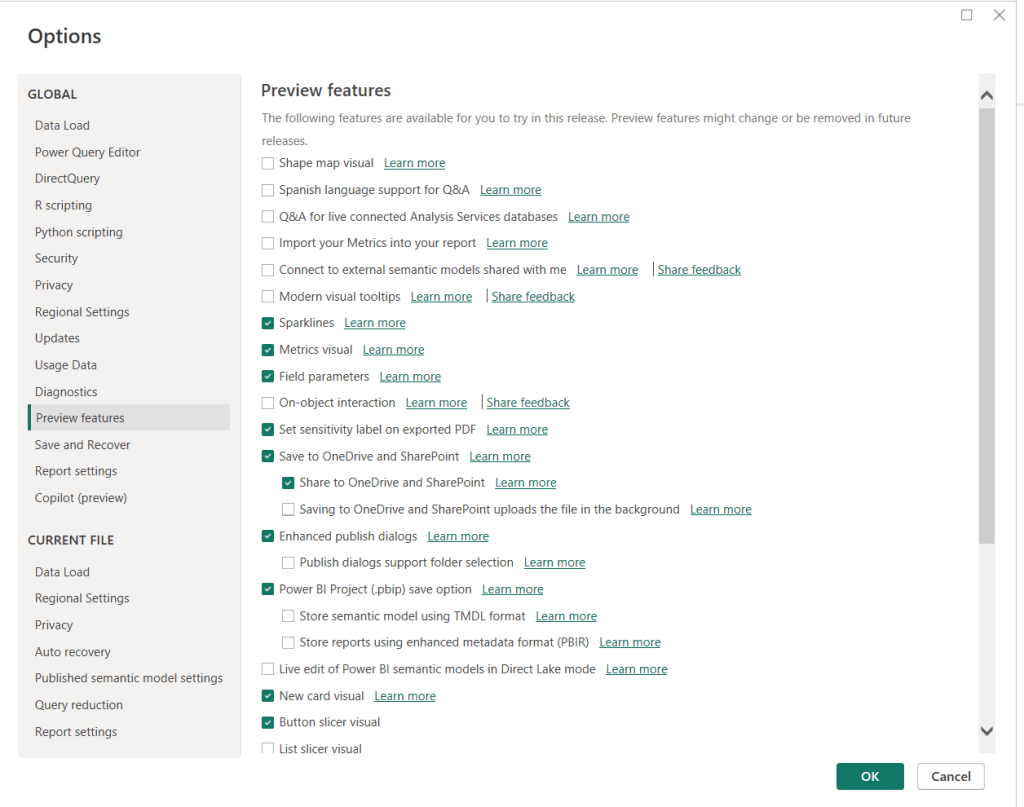
Enabling that will enable the option for you.
How to enable Power BI project?
This can be done while saving your existing pbix file or if you are creating a new project.

This will create 2 folders one for the report and another one for the semantic model.
Then you can add these to your source control. The files are better human readable files than earlier.
 Ajay is a developer
Leave a comment